What Is a UTM? A Plain-English Guide to Campaign Tracking
Let me tell you about the beast, because nobody else will give it to you straight. A UTM is a small, vicious little string of text you staple to the end of a link, and it does one job: it rats out where your visitors came from. Somebody clicks a tagged link and the tags ride shotgun all the way into Google Analytics, so instead of a gray fog labeled "traffic" you get names, dates, motives. Which ad. Which email. Which reckless post you fired off at midnight.
That is the whole idea, and it is beautiful in its simplicity. The trouble, as always, lives in the details, and the details are where good people lose their minds and their data at the same time. So let us walk into it with our eyes open.
What the thing actually looks like
Here is an ordinary link with the tags bolted on:
https://vizionality.com/pricing?utm_source=newsletter&utm_medium=email&utm_campaign=2026_q1_launchEverything before the ? is your normal page, minding its own business. Everything after it is the tracking, hitching a ride. Each tag is a key=value pair, strung together with &. Read it in plain English and the link is confessing: this click came from the newsletter (the source), it rode in on email (the medium), and it belongs to the Q1 2026 launch.
The visitor sees none of it. The page loads exactly the same. The tags are a private note your analytics reads in the dark.
The five parameters, and what they confess
There are five of them. You will lean on three like a crutch and reach for the other two now and then.
| Parameter | What it answers | Required? | Example |
|---|---|---|---|
utm_source | The specific site or product the traffic comes from | Yes | google, newsletter, facebook |
utm_medium | The type of channel | Yes | cpc, email, social, banner |
utm_campaign | The specific promotion or initiative | Yes | 2026_q1_launch, black_friday |
utm_term | The paid keyword you bid on | Optional | running_shoes |
utm_content | Which version of a link (A/B tests, or two links in one email) | Optional | header_button, footer_link |
Burn this into your skull so you never freeze again: source is the "who," medium is the "how." Facebook is a source; "social" or "cpc" is the how it got here. Mailchimp is a source; "email" is the how.
Why you should care, and care a lot
Skip the tags and your analytics tool starts guessing, and a guessing machine is a dangerous animal. It shovels your hard-won traffic into vague pits marked "Direct" and "Referral" and calls it a day. Fine, until the moment real money is on the line and you need to know what actually worked.
Picture it. One landing page, three shots in a single week: a paid Instagram ad, a link in the newsletter, an organic LinkedIn post. Untagged, the three of them slop together into one anonymous heap and you learn nothing. Tagged, the truth stands up and salutes: the newsletter dragged in 40 sign-ups for free while the Instagram ad coughed up 12 for $300. Now you know where to point the money.
Tags turn "we got some traffic" into "this exact thing worked." That is the whole difference between guessing and deciding, and it is not a small one.
How to build one that does not fall apart
The mechanics are easy. A short list of rules is what stands between clean data and a swamp:
- Pick one casing and never blink. Analytics reads
Emailandemailas two different animals. Go lowercase and stay there. One stray capital letter and your report splits down the middle like a bad marriage. - Encode the spaces and the weird characters. A raw space is a live grenade in a URL. Use underscores (
summer_sale) or let a builder handle the encoding while you look away. - Only tag links you fire from outside your own house. Ads, emails, social posts, partner links: yes. Links between your own pages: no. Internal tags overwrite the real source and make it look like every soul on earth walked in through your own front door.
- Keep the tags in front of the
#fragment. If the URL ends in an anchor like#pricing, the tags go before it:/page?utm_source=x#pricing, never/page#pricing?utm_source=x. - Stop inventing a new name every time."fb," "facebook," "FB-ads," and "Facebook" each get their own lonely row in your report. Choose one and write it in blood.
That last one is the quiet killer, which drags us straight to the question of naming.
A naming convention that survives contact
The goal is simple and brutal: anyone on the team can look at a link and know exactly what it is, and two people tagging the same channel spit out identical tags. A durable pattern:
- Source: the platform, lowercase (google, linkedin, klaviyo)
- Medium: the channel type, pulled from a short fixed list (cpc, email, social, referral, banner)
- Campaign:
year_quarter_initiative(2026_q1_summer_sale)
Adopt the campaign format even if you throw the rest away. Dating your campaigns lets you stack this quarter against last year at a glance, and they sort themselves clean in every report you ever open.
The single most valuable thing you can do for your analytics is agree on a short list of allowed sources and mediums, and then never type them by hand again.
The mistakes that gut most tracking
- Tagging internal links. The most common sin and the most damaging. It wipes the real source off every visitor who clicks.
- Mixed casing and spelling.
emailvsEmail,newslettervsnews-letter. Every variant is a fresh, useless line in your report. - Cramming ad copy into utm_campaign. Campaign is the initiative, not the keyword. Use
utm_termandutm_contentfor the fine print. - No shared source of truth.Leave the tags in five people's heads and you get five naming systems and one headache. Keep them in one place.
Building UTMs without losing your mind
You can write these by hand. They are only text. But the moment you are running more than a handful of campaigns, the manual grind turns feral, and one lazy typo can bury a whole channel's real numbers for a month before anyone notices.
That is exactly why we built UTMBuilder. Set your approved sources, mediums, and campaign names once, then fire off consistent, correctly encoded links, one at a time or by the dozen, and your reports stay clean no matter who on the crew is doing the tagging. Buy the ticket, take the ride, but at least tag the ride so you know where it went.
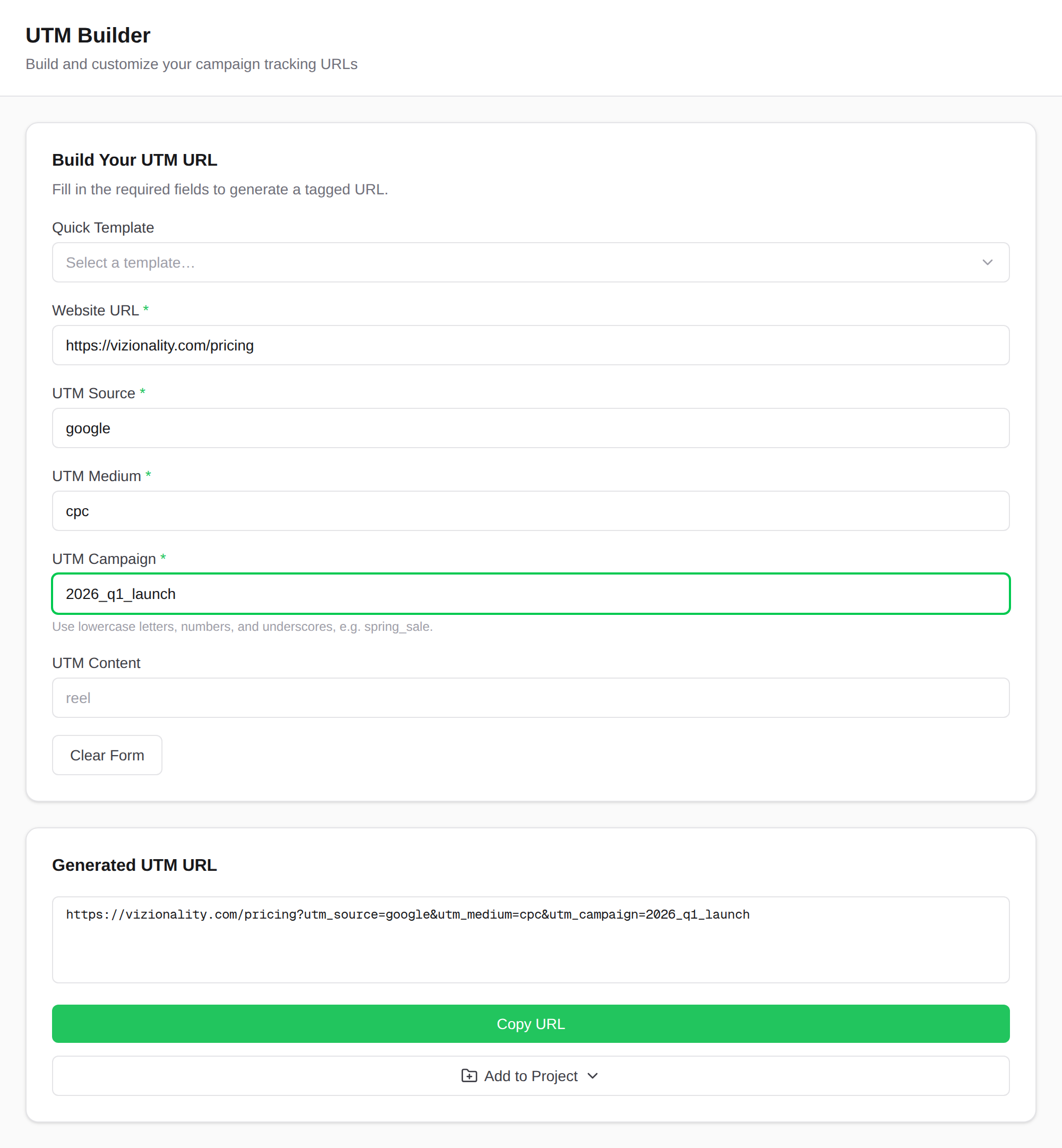
Build clean UTM links in seconds
Set your sources, mediums, and campaign names once, then generate consistent, correctly encoded links, one at a time or in bulk.
Start building freeFrequently asked questions
- What does UTM stand for?
- UTM stands for Urchin Tracking Module. Urchin was a web analytics company Google acquired in 2005; its tracking parameters became the foundation of Google Analytics, and the name stuck.
- Are UTM parameters case-sensitive?
- Yes. Google Analytics treats utm_source=Google and utm_source=google as two different sources. Pick one casing (lowercase is the common standard) and use it everywhere so your reporting doesn't split.
- Which UTM parameters are required?
- Three are needed for useful reporting: utm_source, utm_medium, and utm_campaign. utm_term and utm_content are optional and mostly used for paid-search keywords and A/B testing.
- Do UTMs hurt SEO?
- No, when used correctly. Only add UTMs to inbound links you control, such as ads, emails, and social posts. Never put them on internal links between your own pages, which can misattribute your traffic and, in rare cases, create duplicate-URL issues.
- What's the difference between a UTM and a tracking pixel?
- A UTM lives in the URL and tells your analytics where a click came from. A tracking pixel is a snippet of code that fires when a page or email loads. They answer different questions and are often used together.